


Happy Birthday to the Ground!


but progress never is!
Digital Diary 2000 Pro - github page for this is coming soon, few kinds need to be worked out.
Mesh View - 3D mesh/texture viewer for the web. another one at least.
QuickScan - In-browser QR scanner that doesn't suck.
Check 'em out!

The blog was wrapped in jdan's 98.css like the rest of the website, including the editor. Permalinks now have their own pages, and there is a nifty toolbar. Updates to GitHub coming soonish.
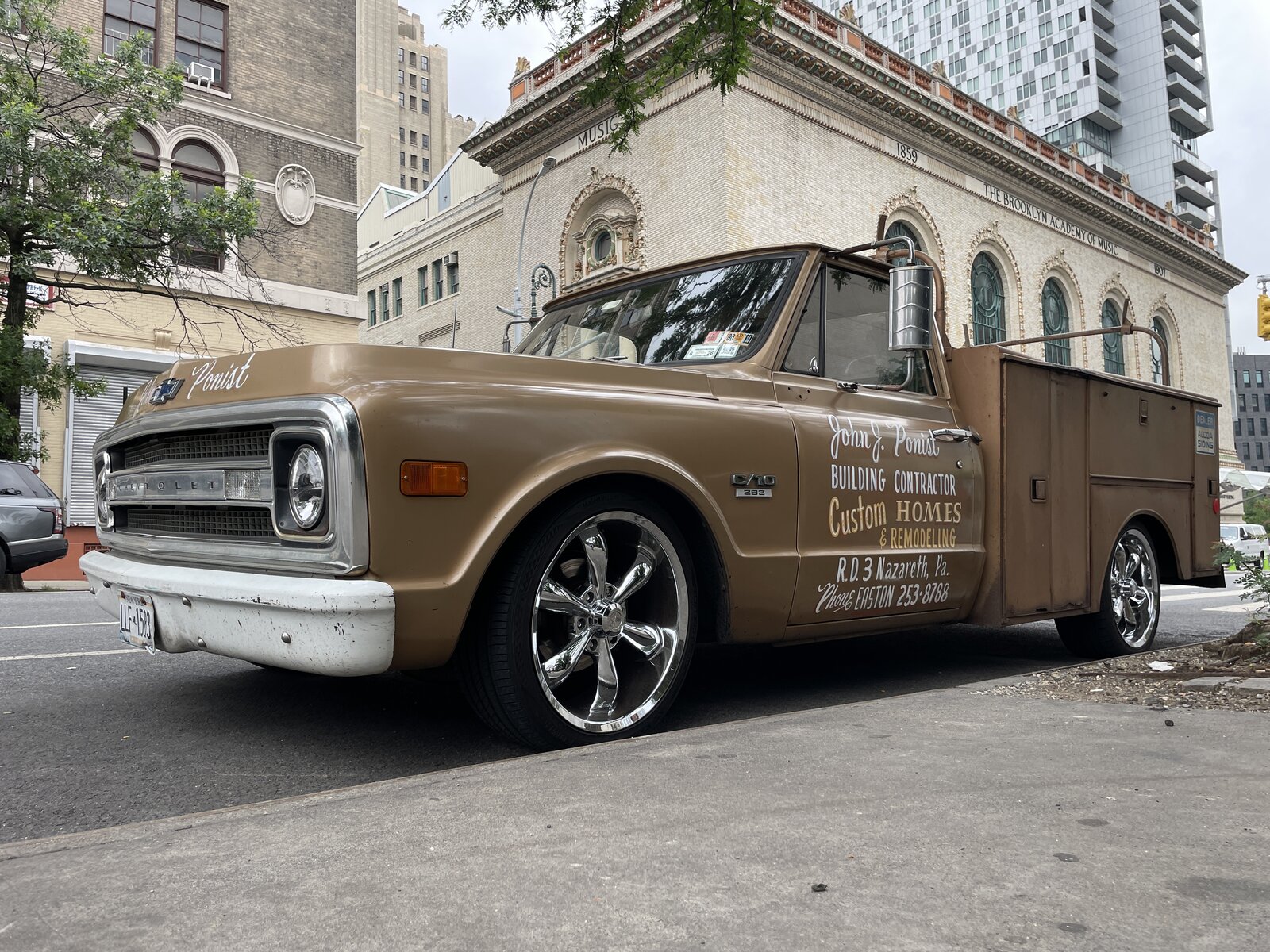
Training a Convolutional Neural Network (CNN) on handwritten digits is a classic beginner project using the MNIST dataset. Here's a clear, minimal walkthrough using Python, PyTorch, and your CUDA-enabled GPU.
Download the files here but still read through the instructions:
bash
cd /home/user/directory/etc
python -m venv venv
source venv/bin/activate
Ensure Python is installed (>=3.8). Then, install PyTorch with CUDA support:
bash
pip install torch torchvision matplotlib
This little maneuver is going to cost you 5GiB++
Check if GPU is detected in Python:
python
import torch
print(torch.cuda.is_available())
This should print 'True'
This is a publicly available dataset and will be loaded when needed, it does not have to be download separately in preparation.
python
import torch
import torch.nn as nn
import torch.optim as optim
from torchvision import datasets, transforms
from torch.utils.data import DataLoader

transform = transforms.Compose([transforms.ToTensor()])

train_set = datasets.MNIST(root='./data', train=True, download=True, transform=transform)
test_set = datasets.MNIST(root='./data', train=False, download=True, transform=transform)

train_loader = DataLoader(train_set, batch_size=64, shuffle=True)
test_loader = DataLoader(test_set, batch_size=1000, shuffle=False)
python
class CNN(nn.Module):
    def __init__(self):
        super().__init__()
        self.net = nn.Sequential(
            nn.Conv2d(1, 16, 3, 1),
            nn.ReLU(),
            nn.MaxPool2d(2),
            nn.Conv2d(16, 32, 3, 1),
            nn.ReLU(),
            nn.MaxPool2d(2),
            nn.Flatten(),
            nn.Linear(5*5*32, 128),
            nn.ReLU(),
            nn.Linear(128, 10)
        )

def forward(self, x):
    return self.net(x)

device = torch.device("cuda" if torch.cuda.is_available() else "cpu")
model = CNN().to(device)
python
criterion = nn.CrossEntropyLoss()
optimizer = optim.Adam(model.parameters(), lr=0.001)

for epoch in range(5):  # 5 epochs is enough for MNIST
    model.train()
    for images, labels in train_loader:
        images, labels = images.to(device), labels.to(device)
        optimizer.zero_grad()
        output = model(images)
        loss = criterion(output, labels)
        loss.backward()
        optimizer.step()
    print(f"Epoch {epoch+1} complete")
python
correct = 0
total = 0
model.eval()
with torch.no_grad():
    for images, labels in test_loader:
        images, labels = images.to(device), labels.to(device)
        outputs = model(images)
        _, predicted = torch.max(outputs.data, 1)
        total += labels.size(0)
        correct += (predicted == labels).sum().item()

print(f"Test Accuracy: {100 * correct / total:.2f}%")
If you are cutting and pasting, you may be getting some indentation and other errors. In this case, download the complete file here and run using the commands below.
number.png
bash
cd /home/user/directory/etc
python mnist_train_and_test.py
You should start seeing the process run through 500 epochs, and output a test accuracy. (This number can be adjusted on line 49)
At the end of the above test, you should see a prediction of the number in the picture along with an accuracy certainty. The script also saved the model as mnist_test_net.pth so it can be reused for number prediction for other pictures. Try your other examples from the previous step.
Supplied is a script that will load up a selected model and selected image and return a result.

Don't get bitten by risky Python packages!
snakeShaker is a simple web utility designed to give you a quick first glance at the potential risks associated with package imports in your Python code snippets. Paste your code, give it a shake, and see what slithers out! It primarily focuses on Python (PyPI) but has basic awareness of JavaScript (npm) and PHP (Packagist) imports too.
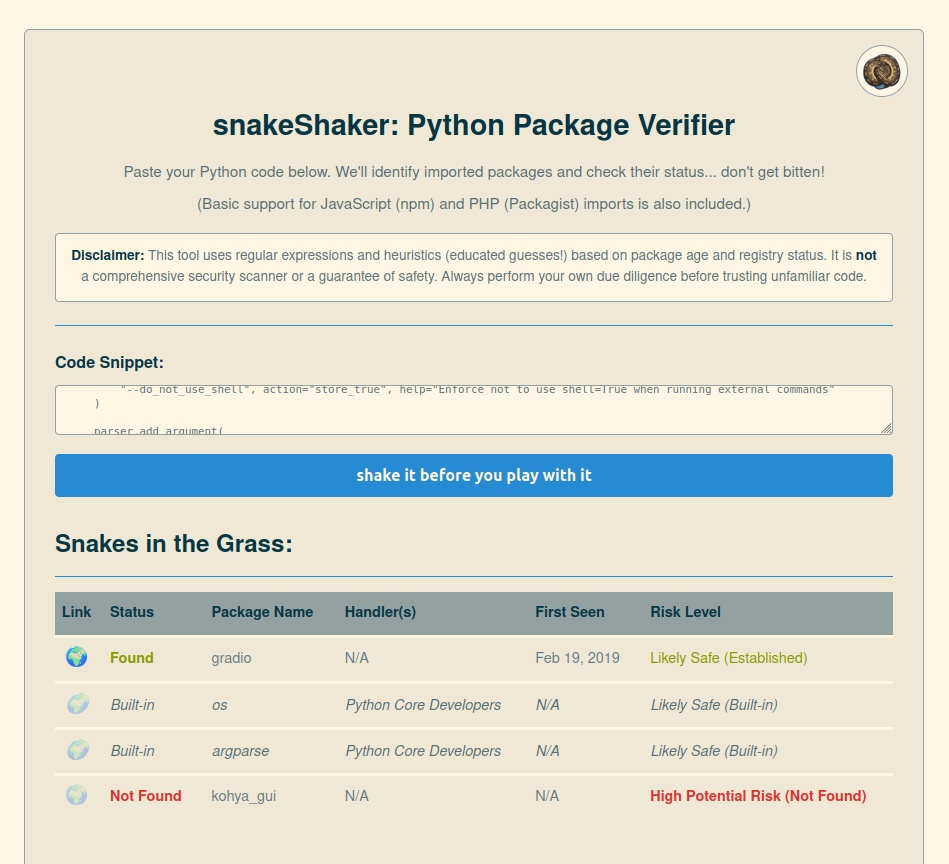
import and from ... import statements in Python code, plus basic require/import in JS and use statements in PHP.os or fs modules!).api.php)🐍 Anti-Venom Not Included! Please Read Carefully! 🐍
import pandas as pd), dynamic imports/requires, or unconventional formatting might confuse the parser, leading to missed packages or incorrect identification.pip-audit, npm audit, etc.), understand the package's reputation, and consider the context before trusting any third-party code.A simple PHP web application that suggests clothing based on the weather forecast for a given US ZIP code and a selected activity category.
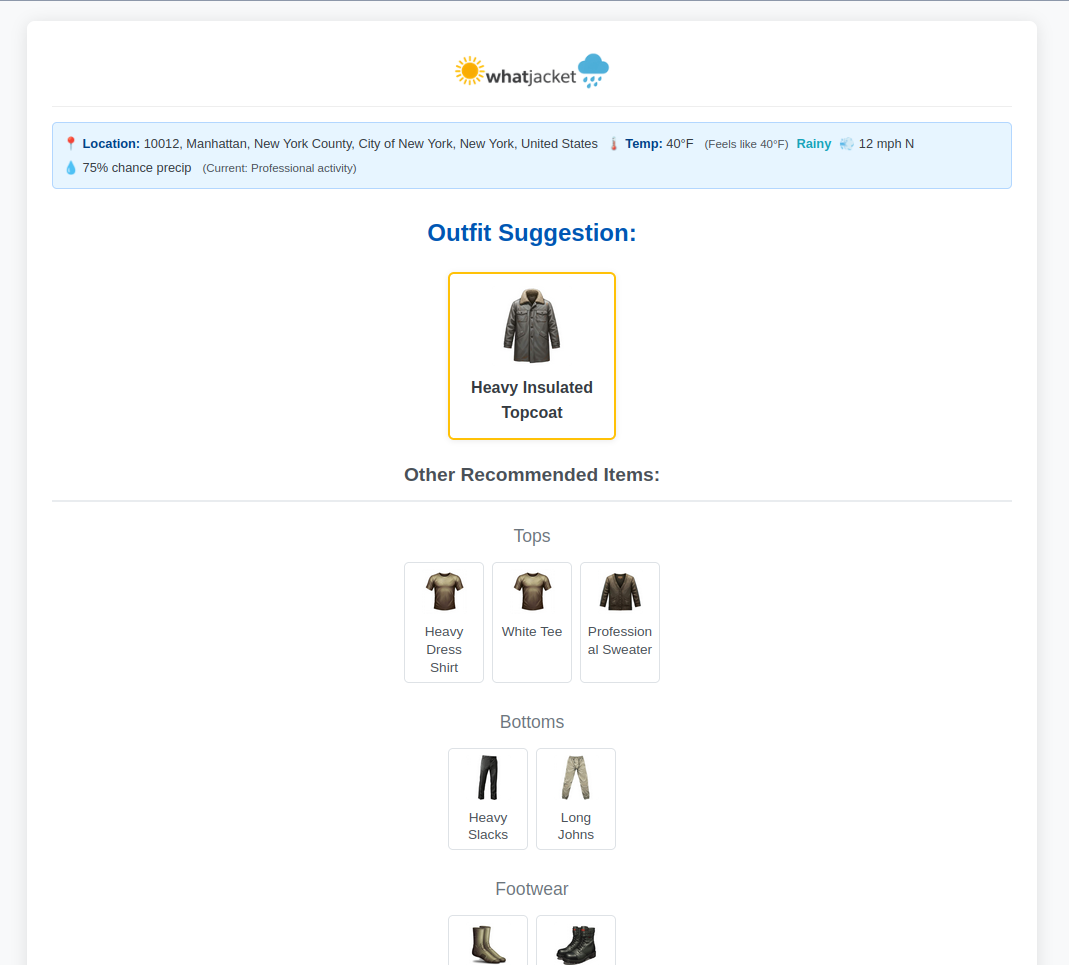
thermal_value, water_resistance, wind_resistance, sun_protection, special_conditions defined for each clothing item.clothing-debug.php, outfit-simulator.php) for inspecting clothing items and simulating outfit generation under various conditions.config.php). Failure to provide a valid User-Agent may result in your access being blocked.This application attempts full compliance with the terms of service for both APIs.
git clone https://github.com/timnetworks/whatJacket.gitfile_get_contents with stream contexts for API calls, which typically requires allow_url_fopen = On in your php.ini. If this is disabled for security reasons, you might need to refactor API calls to use the php-curl extension.index.php, functions.php, config.php, style.css, script.js, *.php debug pages, img/ directory, etc.) in your web server's document root or a suitable subdirectory.config.php and update the API_USER_AGENT constant with your actual application name/version and contact information (email or website) as required by the NOAA API terms.// Example - REPLACE WITH YOUR DETAILS:
define('API_USER_AGENT', 'MyWhatJacketFork/1.0 (myemail@example.com; https://mywebsite.com/whatjacket)');img/ directory structure exists (img/backgrounds/, img/icons/) and contains the image files referenced in config.php. Check file permissions if images are not loading. Create a default placeholder image at img/placeholder.png.index.php file via your web browser.Most application settings are controlled within config.php:
API_USER_AGENT: Must be set correctly for NOAA API compliance.NOAA_API_BASE_URL, GEOCODING_API_BASE_URL: API endpoints.APP_VERSION, APP_TITLE, APP_NAME_SHORT, APP_URL: Basic application info.LOGO_IMAGE_PATH, OG_IMAGE_PATH: Paths to branding images.DEFAULT_TEMP_UNIT, DEFAULT_CATEGORY: User defaults.THEME_COLOR, BACKGROUND_COLOR: PWA theme settings.CATEGORIES: Defines available activity categories, their labels, and icons (text/emoji and image path).TEMP_BANDS: Defines temperature ranges (in C and F) and assigns a base target_thermal_score (used implicitly by selection logic).CONDITION_KEYWORDS: Keywords used to identify weather conditions from forecast text.CONDITION_THRESHOLDS: Values like WINDY_THRESHOLD_MPH, RAIN_PROBABILITY_THRESHOLD, UMBRELLA_MAX_WIND_MPH.FOOTER_LINKS: Links displayed in the footer.FORECAST_BACKGROUNDS: Mapping of primary condition keys to background images.SIMPLE_CONDITION_DISPLAY: User-friendly names for primary weather conditions.TYPE_TO_DISPLAY_GROUP_MAP: Maps clothing item types to display sections (Tops, Bottoms, etc.).CLOTHING_ITEMS: The core database of clothing items.name, type, layer, category.temp_bands: Array of temperature bands where the item is suitable.thermal_value: Approximate warmth score (0=none, 4=very heavy). Used for sorting/prioritization.water_resistance, wind_resistance, insulation, breathability, sun_protection.special_conditions: Array of condition keys (e.g., 'rainy', 'windy') required or preferred for this item.img, img_fallback: Paths to image assets. Ensure these paths are correct relative to index.php.clothing-debug.php: Displays a grid of all items defined in CLOTHING_ITEMS, showing their properties and checking the status (OK, Warning, Error) of their primary and fallback image files.outfit-simulator.php: Allows you to manually select a temperature band, activity category, and specific weather conditions (windy, rainy, sunny, etc.) to test the output of the select_clothing() function and see the generated outfit. Includes the simulated forecast data used for the test.Pull requests are welcome. For major changes, please open an issue first to discuss what you would like to change.
This project is published under the [MIT License](https://opensource.org/licenses/MIT).